

Coordinate events, volunteers, conversations, and follow-up.
Ministry Harbor gives small church teams one calm workspace for the outreach and care work that needs to stay visible, assigned, and moving.
Invited workspace users can sign in with the email on their invitation. Volunteers should use the event signup link shared by their church.
Choose the path that matches why you are here.
Ministry Harbor serves church leaders exploring guided onboarding, team members returning to their workspace, invited teammates, and volunteers using a link for a specific event.
Exploring for your church
See whether one volunteer-heavy event could run more clearly alongside the tools your church already uses.
Talk with usReturning workspace user
Sign in to continue coordinating events, volunteer needs, conversations, and follow-up in your workspace.
Sign in to workspaceInvited workspace user
Use the email address on your invitation. Workspace access is granted by your church, not by public signup.
Continue to sign inVolunteer with an event link
Open the event-specific signup link your church shared. Volunteers do not need workspace accounts.
Use your event link
Coordination should feel like community, not administration.
Built for clarity
A ministry action board, not an admin console.
Small churches deserve better than spreadsheets and group texts.
Most church management software is built for large organizations with dedicated teams. The 200-member church with part-time leaders needs coordination that feels natural, not administrative.
Spreadsheet chaos
Volunteer signups scattered across Google Sheets, group texts, and notes nobody can find on Sunday morning.
Double data entry
Updating existing tools, texting the team, and checking replies means the same information lands in three places.
Who owns the next step?
Follow-ups fall through the cracks because nobody knows who should call back, assign the driver, or close the loop.
From event plan to follow-up in six clear steps.
The first journey creates value without asking the church to leave its current tools on day one. Start with a focused event workflow, then grow carefully from there.
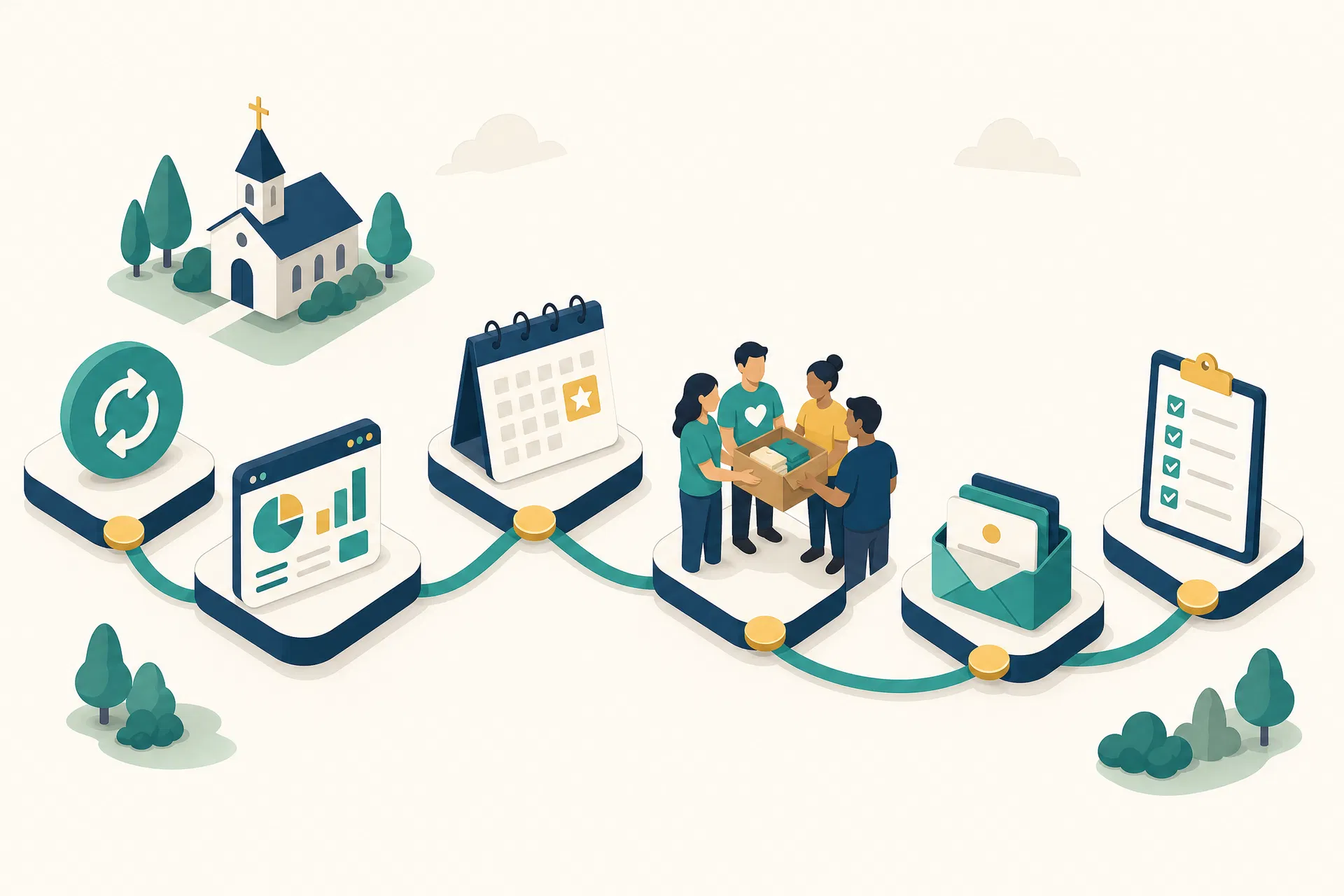
Six waypoints from event planning to pastoral follow-up.
Prepare the event
Bring the event details, people, groups, and serving needs into one workspace without asking the team to rekey what the church already knows.
See this week
See events, open volunteer spots, unanswered messages, and overdue follow-ups in one calm view.
Publish volunteer needs
A guided flow helps leaders define roles, dates, locations, and the workspace users who need to help coordinate.
Share the signup link
Volunteers choose a role from the event-specific link their church sends, without creating a workspace account.
Work conversations
Questions and replies stay visible so the team can assign ownership, respond, and keep context together.
Close the follow-up loop
Know who owns each next step and when it is due. A simple board keeps accountability clear and pastoral.
Every screen serves a single purpose.
Designed for non-technical ministry leaders who need clarity, not complexity.
This Week at a Glance
The home screen feels like a ministry action board, not an analytics console. Events, open spots, messages, and follow-ups stay visible.
This week
SearchGood morning, Sarah
Here is what needs attention before Sunday.
events this week
volunteer spots open
unanswered messages
follow-ups overdue
Needs attention
A quick view of how the workspace keeps ministry work visible.
Built for the way small churches actually work.
Every design decision is guided by listening to pastors, admins, and volunteers at churches under 300 members.
Plain language first
Labels use words ministry leaders already know: events, volunteers, conversations, and follow-up.
Guided flows over configuration
Instead of complex setup screens, the app asks one clear question at a time.
Event links for volunteers
Volunteers can use the event-specific link their church sends without needing workspace access.
Companion before replacement
Your church can keep its current tools while Ministry Harbor proves value alongside the existing system.
Room to grow
The first workflow is focused, but the foundation can grow as the church gains confidence.
Mobile-ready for Sunday morning
Leaders can check gaps, reply to volunteers, and handle follow-up from the lobby.

Start with one workflow, then grow from there.
Ministry Harbor is ready for focused event, volunteer, conversation, and follow-up workflows. Broader migration and record ownership can wait until the first workflow is working well.
Start with one event
Start with a volunteer-heavy outreach event that has clear next steps.
START HEREInvite workspace users
Workspace access comes through invitations and sign-in, not public signup.
INVITE-BASEDUse event links
Volunteers respond from event-specific links without workspace accounts.
Coordinate follow-up
Conversations and next steps stay visible to the team.
Grow carefully
Broader records and migration work come after trust is earned.
What to expect
The first rollout should run beside the tools your church already trusts. We will choose one real workflow, define who needs workspace access, and keep volunteer signup tied to event links.
Start with a focused workflow and grow deliberately.
Talk with us about bringing Ministry Harbor to your church.
If your church is coordinating volunteers, replies, and follow-up across several places, we can help you start with the workflow that needs the most clarity.
Good first rollout
One volunteer-heavy outreach event, run side-by-side with the current church workflow.
First goal: prove the workflow with your team before broader rollout.
What we will clarify together
Event fit
Which real event or outreach project needs clearer volunteer coordination first?
Volunteer path
How will volunteers receive the event-specific signup link?
Workspace access
Which leaders and administrators need workspace access first?
Conversations
Which replies and follow-ups should stay visible to the team?
Current tools
Which records should stay in existing systems during rollout?
Privacy and trust
Which information needs careful access and audit habits?